 SwipeSwipe
Artificial intelligence is one of the most important technologies of our generation. Swipe helps you understand it from the fundamentals to practical, everyday applications — no confusing jargon, just a clear path from curious to confident.


Most people use AI every day without understanding how it actually works — what it's good at, where it fails and how to get real value out of it instead of just playing with it. Swipe AI closes that gap.
AI literacy is quickly becoming as fundamental as computer literacy once was. It's not about becoming an engineer — it's about understanding the tools shaping how we learn, work and create, so you can use them with confidence.
Tap a chapter to preview what you'll learn inside.
Artificial Intelligence (AI) is one of the most transformative technologies of the 21st century. It is changing the way we work, learn, communicate and solve problems. From recommending the next movie you should watch to helping doctors detect diseases and assisting developers in writing code, AI has become part of everyday life.
But despite its growing popularity, many people misunderstand what AI actually is.
Some imagine intelligent robots that think exactly like humans.
Others believe AI is a magical tool that knows everything.
Neither is true.
Artificial Intelligence is a field of computer science focused on creating systems that can perform tasks which normally require human intelligence. These tasks include recognizing images, understanding language, making predictions, solving problems and learning from data.
AI is not one single technology.
It is a collection of different methods, algorithms and models designed to solve different kinds of problems.
Today's AI is incredibly powerful, but it is also limited.
It cannot think, feel or understand the world like humans do.
Instead, it identifies patterns in data and uses those patterns to generate predictions or responses.
Understanding what AI really is—and what it isn't—is the first step toward using it effectively and responsibly.
Artificial Intelligence is becoming one of the most important skills to understand, regardless of your career.
You don't need to become an AI engineer to benefit from AI.
Students use AI to learn more efficiently.
Developers use AI to write and debug code.
Designers use AI to generate creative ideas.
Businesses automate repetitive tasks with AI.
Researchers analyze massive amounts of information in minutes instead of weeks.
As AI continues to improve, people who understand how it works will have a significant advantage.
Understanding AI also helps you recognize its limitations.
Many people either trust AI too much or avoid it completely because they don't understand it.
Learning the fundamentals allows you to use AI as a powerful tool instead of relying on it blindly.
AI will likely become as important as using the internet or a computer.
The earlier you understand it, the more opportunities you'll have in the future.
Artificial Intelligence is not one giant machine that can do everything.
Different AI systems are trained for different tasks.
For example:
Each system is built with a specific purpose.
AI does not learn the way humans do.
Instead, it analyzes enormous amounts of data to discover patterns.
For example, an AI trained to recognize cats has been shown millions of images labeled as "cat" and "not cat."
Over time, it becomes very good at recognizing similar patterns in new images.
Without data, modern AI cannot function.
Despite its impressive abilities, AI does not think like a person.
It has no emotions.
It has no consciousness.
It has no personal experiences.
It simply predicts the most likely output based on the information it has learned.
This is why AI can sometimes produce incorrect or misleading answers.
Many people use AI every day without realizing it.
Examples include:
AI is already integrated into many technologies we use daily.
Artificial Intelligence is advancing rapidly.
New models become more capable every year.
New tools appear almost every month.
This means learning AI is not about memorizing one tool.
It is about understanding the principles that remain useful as technology changes.
When Netflix recommends a movie you might enjoy, AI analyzes your viewing history and compares it with patterns from millions of other users.
It predicts what you're most likely to watch next.
Apps like Google Translate use AI to translate text between languages.
Instead of translating word by word, modern AI understands context and predicts the most natural translation.
Developers use AI assistants to explain code, find bugs, generate functions and answer programming questions.
The AI doesn't truly understand the software like a human developer.
It predicts useful solutions based on patterns learned from millions of code examples.
Doctors use AI to help analyze medical images such as X-rays or MRI scans.
AI can detect patterns that may help identify diseases earlier, but medical professionals still make the final diagnosis.
AI can produce confident answers that are completely incorrect.
Always verify important information using reliable sources.
AI is a helpful assistant—not an unquestionable authority.
Current AI does not think or feel.
It does not have opinions, emotions or self-awareness.
It generates responses using mathematical models and probabilities.
AI can make mistakes.
It can misunderstand questions, invent facts or provide outdated information.
Critical thinking is still essential.
AI will automate many tasks.
However, many jobs will also evolve, and new careers will emerge.
People who learn to work alongside AI are likely to have an advantage over those who ignore it.
For one day, pay attention to every AI-powered tool you use.
Examples:
You may be surprised by how often AI is already part of your daily life.
Choose one industry:
Research how AI is being used in that field.
Write down three real-world examples.
The next time you use an AI chatbot, ask yourself:
Practice treating AI as a helpful assistant rather than a perfect expert.
Answer these questions:
Reflection helps turn information into understanding.
Artificial Intelligence is not magic.
It is not human intelligence.
It is a powerful technology that learns patterns from data to perform specific tasks.
Understanding the basics of AI allows you to use it more effectively, recognize its limitations and prepare for a future where AI will play an increasingly important role.
Remember:
You don't need to become an AI expert overnight.
Start by understanding the fundamentals.
A strong foundation will help you adapt as AI continues to evolve.
For the next 7 days, use an AI tool every day for a different purpose.
Examples:
After each use, ask yourself:
Learning to use AI effectively begins with curiosity, experimentation and critical thinking.
Artificial Intelligence may seem almost magical when you first use it.
You ask a chatbot a question, upload an image or request a piece of code, and within seconds you receive a detailed response. It can feel as though the AI understands the world in the same way a human does.
In reality, AI works very differently.
Behind every AI system are mathematics, algorithms, enormous amounts of data and powerful computers working together.
AI does not think, reason or learn in the same way humans do.
Instead, it identifies patterns within data and uses those patterns to make predictions.
For example, when you type a question into an AI chatbot, the model doesn't search its memory like a person recalling a fact.
Instead, it predicts the most likely sequence of words that should come next based on everything it learned during training.
Understanding how AI works doesn't require a degree in computer science.
By learning a few fundamental concepts, you'll understand why AI is so powerful, why it sometimes makes mistakes and why high-quality data is essential.
These concepts form the foundation of almost every modern AI system.
If you understand how AI works, you become a much better AI user.
Instead of treating AI like a mysterious black box, you'll understand:
This knowledge also helps you choose the right AI tool for different tasks.
Some AI systems are designed for writing.
Others generate images.
Some recognize speech.
Others analyze medical scans.
Understanding the basic building blocks behind AI makes it easier to adapt as new technologies appear.
The tools will continue changing.
The underlying concepts will remain valuable.
Every AI model learns from data.
Data can include:
The quality of an AI system depends heavily on the quality and quantity of the data it learns from.
Poor data usually leads to poor results.
Better data often leads to better predictions.
An algorithm is simply a set of instructions.
Think of it like a recipe.
A recipe tells you how to bake a cake.
An algorithm tells a computer how to solve a problem.
Different AI systems use different algorithms depending on the task.
Some are designed to recognize faces.
Others translate languages.
Others recommend movies or music.
After training on large amounts of data, an AI creates what is called a model.
The model contains patterns that the AI has learned.
For example, a language model has learned relationships between words and sentences.
An image model has learned patterns that distinguish cats from dogs or cars from bicycles.
The model is what actually performs predictions after training is complete.
AI works in two main stages.
Training
During training, the AI studies enormous amounts of data and gradually improves its predictions.
This process can take days, weeks or even months on powerful computers.
Inference
Inference happens after training.
This is when you ask ChatGPT a question, generate an image or translate text.
The AI is no longer learning.
It is simply using what it already learned to generate a response.
Many modern AI systems use Neural Networks.
Despite the name, they are not real brains.
They are mathematical models inspired by the way neurons connect in the human brain.
Neural Networks process information through many connected layers.
Each layer identifies increasingly complex patterns.
For example, an image AI might first detect:
Then:
Then:
Then:
Then:
This layered approach allows AI to solve extremely complex problems.
Email services use AI to identify spam.
The AI learns patterns from millions of emails.
When a new email arrives, it predicts whether it is likely to be spam or not.
Autonomous vehicles constantly analyze data from cameras and sensors.
AI identifies:
The system then predicts the safest action to take.
When you type:
"Explain gravity."
ChatGPT analyzes your prompt and predicts the most likely sequence of words that will produce a helpful explanation.
It does not search the internet in real time or remember a textbook.
It generates a response using patterns learned during training.
Streaming platforms analyze your listening habits.
AI compares your preferences with millions of other users and predicts which songs you are most likely to enjoy next.
AI recognizes patterns.
It does not truly understand concepts the way humans do.
It predicts.
It does not "know."
Most AI models do not learn from every conversation.
Once training is complete, they generate responses using their existing model.
Training and using AI are two separate processes.
Large amounts of poor-quality data can create poor AI systems.
Quality matters just as much as quantity.
Reliable, diverse and accurate data produces better models.
An algorithm is the method used for learning.
A model is the result of that learning.
One teaches.
The other performs.
Choose one AI application you use.
Identify:
This helps you understand how AI systems are built.
Use an AI chatbot.
Ask it five different questions.
After each answer, ask yourself:
Practice thinking critically about AI outputs.
Watch or read one beginner-friendly explanation of Neural Networks.
Write a short summary in your own words explaining how they identify patterns.
Answer these questions:
Reflecting on these ideas will strengthen your understanding.
Modern AI works by learning patterns from enormous amounts of data.
Algorithms guide the learning process.
Training creates a model.
Inference uses that model to generate predictions.
Neural Networks allow AI to recognize increasingly complex patterns and solve tasks that were once impossible for computers.
Remember:
AI doesn't think like humans.
It predicts based on patterns.
Understanding this simple idea helps explain both AI's incredible strengths and its important limitations.
For the next 7 days, whenever you use an AI tool, ask yourself these four questions:
Understanding how AI works isn't about memorizing technical terms—it's about learning to think critically about the technology you use every day.
Machine Learning (ML) is one of the most important branches of Artificial Intelligence.
When people talk about AI today, they are often referring to Machine Learning without realizing it.
Instead of programming a computer with every possible rule, Machine Learning allows computers to learn patterns from data and improve their performance over time.
Imagine you wanted a computer to recognize cats in photos.
One approach would be to manually program thousands of rules:
This quickly becomes impossible because every cat looks different.
Machine Learning takes a different approach.
Instead of writing every rule yourself, you provide the computer with thousands or even millions of labeled images.
Over time, the computer discovers the patterns on its own and learns how to recognize cats in new images.
This ability to learn from experience makes Machine Learning one of the most powerful technologies in modern AI.
Today, Machine Learning powers search engines, recommendation systems, voice assistants, fraud detection, medical research, autonomous vehicles and many other applications we use every day.
Machine Learning is becoming one of the most valuable technologies in the world.
Companies use it to make better decisions.
Hospitals use it to help diagnose diseases.
Banks use it to detect fraudulent transactions.
Streaming services recommend movies based on your preferences.
Online stores suggest products you may want to buy.
Machine Learning allows computers to discover patterns that would be impossible for humans to analyze manually because of the enormous amount of data involved.
Understanding Machine Learning also helps you understand the strengths and limitations of modern AI.
It explains why AI becomes more accurate with better data and why poor-quality data often produces poor results.
As AI continues to evolve, Machine Learning will remain one of its most important foundations.
Unlike traditional programming, Machine Learning is not given every rule.
Instead, it studies data to discover patterns.
The more relevant and high-quality data it receives, the better it usually performs.
Learning begins with examples.
Supervised Learning uses labeled data.
This means every training example already contains the correct answer.
For example:
Email → Spam
Email → Not Spam
The AI learns the relationship between the input and the correct output.
Examples include:
Supervised Learning is one of the most common types of Machine Learning.
Unsupervised Learning works with unlabeled data.
The AI receives information but no correct answers.
Its goal is to find hidden patterns or groups within the data.
Examples include:
The AI discovers relationships without human labels.
Reinforcement Learning is inspired by trial and error.
The AI learns by interacting with an environment.
Good decisions receive rewards.
Bad decisions receive penalties.
Over time, the AI learns which actions produce the best long-term results.
Examples include:
This method allows AI to improve through experience.
Machine Learning depends heavily on the quality of its training data.
If the data is:
the model usually performs better.
Poor or biased data often leads to inaccurate predictions.
A Machine Learning model can only learn from the information it is given.
Netflix analyzes the movies and shows you've watched.
Machine Learning compares your viewing habits with millions of other users and predicts what you're most likely to enjoy next.
The more you watch, the better the recommendations usually become.
Every day, billions of emails are analyzed.
Machine Learning studies patterns found in spam emails and predicts whether a new email should be placed in your inbox or spam folder.
The system improves as it processes more examples.
Autonomous vehicles constantly collect information from cameras, radar and sensors.
Machine Learning helps the vehicle recognize:
The AI predicts the safest action based on what it has learned.
Hospitals use Machine Learning to analyze medical images such as X-rays, CT scans and MRI scans.
The AI identifies patterns that may indicate diseases and assists doctors in making more informed decisions.
The final diagnosis, however, remains the responsibility of healthcare professionals.
Machine Learning is one part of Artificial Intelligence.
Not every AI system uses Machine Learning, but many modern AI systems do.
Think of Machine Learning as one of the most important tools within the broader field of AI.
Machine Learning identifies patterns.
It does not understand concepts the way humans do.
It predicts based on previous examples.
Large amounts of poor-quality or biased data can produce poor results.
Quality is just as important as quantity.
Better data creates better learning.
Machine Learning makes predictions based on probability.
Even excellent models make mistakes.
The goal is continuous improvement—not perfection.
List five products or services you use that rely on Machine Learning.
Examples:
Think about what predictions each system is making.
Determine which type of Machine Learning best fits each example.
Try to identify whether each example uses:
Choose one Machine Learning application.
Ask yourself:
Understanding data helps you better understand AI.
Answer these questions:
Writing your own explanations strengthens your understanding.
Machine Learning allows computers to learn from data instead of relying entirely on manually written rules.
It is one of the most important technologies behind modern Artificial Intelligence.
By understanding the three main types of Machine Learning—Supervised Learning, Unsupervised Learning and Reinforcement Learning—you gain a strong foundation for understanding how many AI systems work today.
Remember:
Machine Learning doesn't create intelligence on its own.
It learns patterns from data and uses those patterns to make predictions.
The quality of those predictions depends on the quality of the learning process.
For the next 7 days, every time you use an app or website, ask yourself:
The more you recognize Machine Learning in everyday life, the easier it becomes to understand how modern AI systems make decisions and improve over time.
Large Language Models (LLMs) are one of the biggest breakthroughs in modern Artificial Intelligence.
Tools like ChatGPT, Claude, Gemini and Microsoft Copilot are all powered by Large Language Models.
These systems can answer questions, explain complex topics, write essays, generate code, summarize documents, translate languages and even help brainstorm ideas.
At first glance, it may seem as though these AI models truly understand language like humans do.
However, the reality is quite different.
An LLM does not think, reason or understand words in the same way people do.
Instead, it has been trained on enormous amounts of text to recognize patterns in language.
When you ask an LLM a question, it predicts the most likely sequence of words that should come next based on everything it learned during training.
This prediction happens incredibly quickly, creating responses that often feel surprisingly natural and intelligent.
Understanding how Large Language Models work is essential because they are becoming one of the most widely used AI technologies in education, business, software development and everyday life.
Large Language Models are changing how people interact with computers.
Instead of clicking through menus or learning complicated software, users can simply ask questions using natural language.
Students use LLMs to study.
Developers use them to write and debug code.
Businesses use them to automate customer support.
Writers use them to brainstorm ideas.
Researchers use them to summarize large amounts of information.
Understanding how LLMs work also helps you become a more responsible AI user.
You'll understand why these models sometimes make mistakes, why prompts matter and why you should always verify important information.
Rather than seeing AI as magic, you'll understand the technology behind it.
Large Language Models do not read sentences the way humans do.
Instead, they break text into smaller pieces called tokens.
A token may be:
For example:
"Artificial Intelligence is amazing."
may be split into several tokens before the model processes it.
Every response an LLM generates is built one token at a time.
Before you ever use ChatGPT or another LLM, it has already completed an enormous training process.
During training, the model analyzes massive collections of text from books, articles, websites, code and other publicly available sources.
Its goal is simple:
Predict the next token.
By repeating this process billions or even trillions of times, the model gradually learns grammar, facts, reasoning patterns and relationships between words.
Training can take weeks or even months using thousands of powerful GPUs.
Large Language Models contain billions—or even trillions—of parameters.
Parameters are numerical values that represent everything the model has learned during training.
They are not stored facts like pages in a textbook.
Instead, they encode patterns that help the model make predictions.
Generally speaking:
However, a larger model is not always a better model.
Efficiency and training quality matter just as much.
Every conversation with an LLM has a limit called the context window.
The context window represents how much information the model can consider at one time.
A larger context window allows the AI to remember more of your conversation or process longer documents.
If the conversation becomes too long, older information may eventually fall outside the context window.
This is why AI may sometimes forget details from earlier in a conversation.
One of the biggest limitations of Large Language Models is hallucination.
A hallucination occurs when the AI generates information that sounds believable but is incorrect or completely made up.
For example, an LLM might:
Hallucinations happen because the model predicts likely text—it does not verify every fact before responding.
This is why important information should always be checked using reliable sources.
When you ask:
"Explain photosynthesis."
The model predicts the most likely sequence of words that forms a helpful explanation.
It is not searching the internet in real time.
It is generating text based on patterns learned during training.
A developer asks:
"Write a React component."
The LLM predicts code based on millions of programming examples it learned during training.
It recognizes common coding patterns and generates a likely solution.
An LLM can read a long article and generate a shorter summary by identifying the most important ideas.
It does not simply copy sentences.
Instead, it predicts a concise version of the original content.
When translating between languages, an LLM predicts the most natural wording rather than translating each word individually.
This usually produces more fluent and natural results.
Large Language Models process patterns in text.
They do not truly understand meaning, emotions or experiences.
Their responses are based on prediction—not human comprehension.
LLMs can generate incorrect information with great confidence.
Always verify important facts, especially in areas such as medicine, law, finance and scientific research.
An LLM may appear to "remember" previous messages, but it only works within its current context window.
It does not have perfect long-term memory in every conversation.
A model with more parameters is not automatically better.
Training quality, safety, efficiency and architecture all play major roles in overall performance.
Think about five things you could ask an LLM to do.
Examples:
Notice how one model can perform many different tasks using natural language.
Ask an AI a question about a topic you know well.
Then verify its answer using trusted sources.
Did it make any mistakes?
Understanding AI's limitations is just as important as understanding its strengths.
Start a conversation with an AI.
Ask several follow-up questions that build on previous answers.
Observe how the AI uses earlier information to maintain context.
Answer these questions:
Writing your own explanations will deepen your understanding.
Large Language Models have transformed how humans interact with computers.
They generate text by predicting one token at a time using patterns learned from enormous amounts of training data.
Concepts such as tokens, parameters, context windows and hallucinations help explain both the incredible capabilities and the important limitations of these systems.
Remember:
An LLM is an incredibly powerful assistant—but it is still a prediction engine, not a human mind.
The better you understand how it works, the more effectively and responsibly you can use it.
For the next 7 days, use an LLM for a different real-world task each day:
After each session, ask yourself:
The more you understand how Large Language Models work, the better you'll be able to use them as powerful tools for learning, creativity and problem-solving.
Large Language Models are incredibly powerful, but the quality of their responses depends heavily on the quality of the instructions they receive.
This is where Prompt Engineering comes in.
A prompt is simply the instruction, question or request you give to an AI model.
Prompt Engineering is the practice of writing clear, structured and effective prompts that help AI produce better results.
Think of AI like a highly knowledgeable assistant.
If you ask vague questions, you'll often receive vague answers.
If you provide clear instructions, enough context and a specific goal, the AI can generate responses that are far more accurate and useful.
Prompt Engineering is not about learning secret commands or magical phrases.
Instead, it's about communicating effectively with AI.
Whether you're writing emails, generating code, brainstorming ideas, analyzing data or learning a new topic, better prompts almost always lead to better outcomes.
As AI becomes a part of everyday work, Prompt Engineering is becoming an increasingly valuable skill for students, professionals and developers alike.
Many people assume AI gives the best possible answer automatically.
In reality, AI responds based on the information you provide.
A poorly written prompt may lead to:
A well-written prompt can produce:
Learning Prompt Engineering helps you save time, reduce frustration and unlock the full potential of AI.
It also teaches you an important skill beyond AI itself:
Learning how to communicate clearly.
The more specific your request, the better the response is likely to be.
Instead of asking:
"Tell me about programming."
Try:
"Explain object-oriented programming to a beginner using simple examples."
Specific prompts reduce ambiguity and help the AI understand your goal.
AI performs better when it understands the situation.
For example:
Instead of saying:
"Write an email."
Provide context:
"Write a professional email to a client explaining that our project will be delayed by two days while maintaining a positive tone."
Context allows AI to generate responses that better match your needs.
Tell the AI how you want the answer presented.
Examples include:
For example:
"Summarize this article in five bullet points."
Formatting instructions often make responses much easier to use.
Giving AI a role can improve the quality and style of its response.
Examples:
Role prompting helps AI tailor its explanations to a specific perspective.
Your first prompt doesn't have to be perfect.
Prompt Engineering is an iterative process.
If the first answer isn't exactly what you wanted, improve your prompt by adding:
Treat the conversation as a collaboration.
Each refinement helps AI better understand your request.
"Write about AI."
This prompt is too broad.
The AI has to guess what you want.
"Explain Artificial Intelligence to a high school student in simple language using real-world examples."
The goal, audience and style are now much clearer.
Instead of:
"Fix my code."
Try:
"You're an experienced React developer. Explain why this component isn't rendering and provide a corrected version with comments."
The second prompt gives the AI a role, context and a clear objective.
Instead of:
"Explain photosynthesis."
Try:
"Explain photosynthesis as if you were teaching a 12-year-old. Include simple examples and finish with a short quiz."
The AI now knows your preferred teaching style.
Instead of:
"Write an Instagram post."
Try:
"Write an Instagram post promoting a fitness app. Use an encouraging tone, include a strong call to action and keep it under 150 words."
Specific instructions produce more useful results.
Short prompts often force AI to make assumptions.
Providing more detail usually leads to better answers.
AI only knows what you tell it within the conversation.
Missing information often results in incomplete responses.
AI may still misunderstand your request.
Improving the prompt is often faster than starting over.
Even excellent prompts can produce imperfect responses.
Always review and improve important work before using it.
Rewrite these prompts to make them more specific:
Focus on adding:
Ask an AI:
"Tell me about climate change."
Then ask:
"Explain climate change to a beginner using simple language, include three causes, three effects and three possible solutions."
Compare both responses.
Which one is more useful?
Why?
Ask the same question multiple times while changing the AI's role.
For example:
Observe how the answers change.
Answer these questions:
Prompt Engineering is the skill of communicating effectively with AI.
By writing clear, specific and well-structured prompts, you can dramatically improve the quality of AI-generated responses.
The five key principles are:
Remember:
AI is only as helpful as the instructions it receives.
Learning to ask better questions is one of the most valuable AI skills you can develop.
For the next 7 days, rewrite every prompt you use before sending it to an AI.
Before pressing enter, ask yourself:
You'll quickly notice that better prompts lead to better conversations—and better results.
Artificial Intelligence is no longer limited to research laboratories or large technology companies.
Today, anyone with an internet connection can access powerful AI tools that help with learning, writing, coding, design, research, productivity and creativity.
Every month, new AI applications are released.
Some generate text.
Some create images.
Others write code, analyze documents, summarize meetings or automate repetitive tasks.
Because there are now thousands of AI tools available, choosing the right one can feel overwhelming.
Fortunately, you don't need to learn them all.
Instead of trying every new application, it's far more valuable to understand what each type of AI tool is designed to do and when it should be used.
Remember:
A tool is only useful if it solves the right problem.
The goal isn't to use AI everywhere.
The goal is to use the right AI tool for the right task.
Learning about AI tools can dramatically improve the way you work and learn.
The right tool can save hours of repetitive work.
Students can study more efficiently.
Developers can build software faster.
Designers can create ideas in minutes.
Businesses can automate routine tasks and improve productivity.
However, every AI tool has strengths and weaknesses.
No single application is the best at everything.
Understanding what each tool specializes in allows you to choose the most effective solution instead of relying on one AI for every task.
As AI continues to evolve, learning how to evaluate new tools will become more valuable than memorizing individual applications.
AI tools are specialized.
Some are designed for writing.
Others focus on coding, image generation, research or automation.
Trying to use one tool for every task often leads to disappointing results.
Choose tools based on your goal.
General AI assistants help with many everyday tasks.
Examples include:
These tools can:
They are excellent starting points for most users.
Developers often use specialized AI tools such as:
These tools help with:
They act as assistants—not replacements—for software developers.
Creative AI focuses on generating media.
Examples include tools for:
These tools help creators produce content more efficiently while still relying on human creativity and direction.
Many AI applications improve everyday workflows.
Examples include:
Rather than replacing work, these tools reduce repetitive tasks and allow people to focus on more valuable activities.
A student uses ChatGPT to explain calculus in simple language.
After understanding the concept, they complete practice problems independently.
AI supports learning—it doesn't replace studying.
A developer uses Cursor to explain an unfamiliar codebase and suggest improvements.
The developer still reviews every change before publishing the software.
AI accelerates development but doesn't remove responsibility.
A researcher uses Perplexity to gather information from multiple sources before verifying the original references.
AI speeds up research but should not replace critical evaluation.
A marketing team uses AI to brainstorm advertising ideas and generate first drafts.
Human editors review, improve and finalize the content before publication.
AI assists creativity rather than replacing it.
Every tool has strengths and weaknesses.
The best results often come from choosing the right tool for the task.
Even the best AI tools can make mistakes.
Always verify important information using reliable sources.
New AI tools appear constantly.
Instead of trying everything, focus on learning the underlying concepts.
Once you understand AI, adapting to new tools becomes much easier.
AI can increase productivity, but it cannot replace experience, judgment or critical thinking.
The user remains responsible for the final result.
Choose three AI tools you've never used before.
For each one, answer:
Choose the best AI tool for each situation:
Think about why one tool may be better than another.
Create your own personal AI toolkit.
Choose one tool for each category:
Explain why you selected each one.
Answer these questions:
AI tools are becoming essential companions for learning, productivity and creativity.
Instead of trying to master every new application, focus on understanding what each type of tool does best.
Remember:
The best AI users aren't the ones with the most tools—they're the ones who know which tool to use, when to use it and how to verify the results.
For the next 7 days, use a different AI tool each day.
After each session, write down:
By experimenting with different AI tools and reflecting on their strengths and limitations, you'll develop one of the most valuable skills in the AI era: knowing how to choose the right tool for the right job.
For centuries, people have learned through books, teachers and personal experience. Today, Artificial Intelligence is adding a completely new way to learn.
AI is not replacing teachers or traditional education. Instead, it acts as a personal learning assistant that is available anytime, anywhere.
Unlike a textbook, AI can adapt to your questions.
Unlike a video, AI can explain the same concept in multiple ways.
Unlike a search engine, AI can combine information into a clear and personalized explanation.
Whether you're learning mathematics, programming, languages, science or history, AI can make learning more interactive, engaging and efficient.
However, using AI effectively requires more than simply asking it for answers.
The goal should never be to let AI think for you.
The goal is to use AI to understand concepts faster, practice more effectively and become a more independent learner.
When used correctly, AI becomes one of the most powerful educational tools ever created.
Learning is one of the most valuable skills you will ever develop.
The faster and better you learn, the easier it becomes to adapt to new technologies, careers and opportunities.
AI helps remove many common obstacles to learning.
For example, it can:
Instead of replacing your effort, AI amplifies it.
The students who learn how to study with AI—not copy from AI—will have a significant advantage in the future.
One of the biggest mistakes learners make is asking AI to complete assignments for them.
This may save time in the short term, but it prevents real learning.
Instead, ask AI to explain concepts until you truly understand them.
Learning happens when your understanding grows—not when answers are copied.
One of AI's greatest strengths is conversation.
If you don't understand an explanation, ask:
Every follow-up question improves your understanding.
Reading an explanation isn't enough.
Use AI to create:
Active learning helps move information into long-term memory.
Everyone learns differently.
AI can adjust explanations based on your needs.
For example:
The ability to personalize learning is one of AI's greatest advantages.
AI is an excellent teacher, but it is not perfect.
Sometimes it makes mistakes.
Always question information.
Cross-check important facts with trusted books, official documentation or reliable educational sources.
Critical thinking remains your most valuable skill.
Instead of copying code generated by AI, ask:
"Explain every line of this code and why it works."
You'll build real understanding rather than memorizing syntax.
Upload your notes and ask AI to:
This transforms passive reading into active studying.
Ask AI to:
You receive instant feedback without waiting for a teacher.
If a scientific concept feels difficult, ask AI to explain it at different levels.
For example:
This flexibility makes difficult topics much easier to understand.
If AI writes every answer, solves every problem and completes every assignment, you aren't learning.
Use AI to guide your thinking—not replace it.
AI can be wrong.
Always verify important concepts and compare explanations with trusted educational resources.
Real learning requires practice.
Ask AI to create exercises, quizzes and challenges that force you to apply what you've learned.
Questions like:
"Teach me coding."
are too broad.
Instead, ask:
"Explain variables in JavaScript using simple real-world examples."
Specific questions produce better learning experiences.
Choose a topic you've never studied before.
Ask AI to explain it in simple language.
Then ask three follow-up questions until you fully understand it.
Study a topic for 20 minutes.
Then ask AI to generate:
Answer everything without looking at your notes.
After learning a topic, explain it back to the AI in your own words.
Ask:
"Can you identify anything I misunderstood?"
Teaching is one of the best ways to strengthen your understanding.
Answer these questions:
AI is one of the most powerful learning tools ever created.
It can explain, personalize, quiz and guide your learning in ways that traditional resources cannot.
However, AI should support your education—not replace it.
The most successful learners use AI to:
Remember:
Learning isn't about getting answers.
Learning is about developing understanding.
AI can accelerate that process, but your curiosity, effort and critical thinking remain the most important parts of your education.
For the next 7 days, use AI as your personal tutor instead of your answer machine.
Every day:
By the end of the week, you'll notice that AI isn't most valuable because it gives answers—it's most valuable because it helps you ask better questions and build deeper understanding.
Every day, people spend hours on repetitive tasks.
Writing emails.
Organizing notes.
Searching for information.
Creating reports.
Scheduling meetings.
Summarizing documents.
Many of these tasks are important, but they don't always require deep thinking. They consume time that could be spent solving problems, learning new skills or creating something valuable.
This is where Artificial Intelligence can make a significant difference.
AI is not only a tool for answering questions or generating text—it can also act as a personal productivity assistant.
It can help organize information, automate repetitive work, generate first drafts and reduce the time spent on everyday tasks.
However, productivity is not about doing more work.
It's about doing the right work more efficiently.
The purpose of AI is not to make people busier.
Its purpose is to remove unnecessary friction so you can focus on creativity, decision-making and meaningful work.
Time is one of your most valuable resources.
Unlike money, time cannot be earned back once it has passed.
Small improvements in your daily workflow can save hundreds of hours over the course of a year.
AI helps increase productivity by reducing repetitive tasks and allowing you to focus on higher-value activities.
For students, this might mean spending less time organizing notes.
For professionals, it might mean writing reports faster.
For entrepreneurs, it could mean automating routine business processes.
The people who learn how to combine their own expertise with AI will often accomplish more—not because they work longer hours, but because they work smarter.
If you perform the same task repeatedly, AI can often help automate part of the process.
Examples include:
Automation allows you to spend more time on work that requires human judgment.
AI works best when it supports your workflow.
It can create a first draft, but you should review and improve it.
It can organize information, but you decide what matters.
Think of AI as a helpful teammate—not someone who takes over your responsibilities.
Many people lose productivity simply because information is difficult to find.
AI can help:
Good organization saves time every day.
AI can quickly compare options, summarize research and identify patterns.
This helps you make informed decisions faster.
However, important business, legal, financial and medical decisions should always involve human judgment.
AI provides support—not final authority.
One of the most powerful ways to use AI is by creating workflows that can be reused.
For example:
Research → Summary → Draft → Review → Final Version
Instead of starting from scratch every time, AI helps streamline each step of the process.
Consistent systems create consistent productivity.
Instead of spending twenty minutes writing a professional email, ask AI to create a first draft.
Review it, personalize it and send the final version.
This saves time while keeping your own voice.
After a meeting, AI can summarize the discussion into:
This makes it easier for everyone to stay aligned.
Suppose you're researching renewable energy.
AI can organize information into categories, summarize articles and highlight key trends.
You still verify the sources, but the research process becomes much faster.
AI can help create:
This allows you to spend more time executing the plan rather than creating it.
Not every task should be delegated to AI.
Creative thinking, important decisions and relationship-building still require human involvement.
Automation should remove repetitive work—not meaningful work.
AI-generated content should always be reviewed before being shared or published.
Even small mistakes can reduce quality or create misunderstandings.
If AI becomes your only source of organization or decision-making, your own skills may weaken.
Use AI to support your productivity—not replace your ability to think independently.
Being productive doesn't mean staying busy all day.
The goal is to focus on work that creates real value.
Saving time only matters if you use that time wisely.
Write down five tasks you repeat every week.
For each one, ask:
Choose one activity such as:
Design a workflow where AI assists at different stages without replacing your own thinking.
Use AI throughout one day to simplify small tasks.
At the end of the day, estimate:
Answer these questions:
Artificial Intelligence is one of the most powerful productivity tools ever created.
It helps automate repetitive work, organize information, speed up research and improve daily workflows.
However, productivity isn't about letting AI do everything.
It's about combining AI's speed with human creativity, judgment and experience.
Remember:
The most productive people won't necessarily be those who use AI the most.
They'll be the ones who know when AI adds value and when human judgment matters most.
For the next 7 days, identify one repetitive task each day and use AI to simplify it.
After each task, ask yourself:
By the end of the week, you'll likely discover that productivity isn't about working faster—it's about spending more time on the work that truly matters.
Programming has always been about solving problems.
Developers analyze requirements, design solutions, write code, test their work and continuously improve their applications.
Artificial Intelligence is changing how software is built—but it is not replacing software developers.
Instead, AI acts as a powerful programming assistant.
It can explain unfamiliar code, generate functions, identify bugs, suggest improvements and even help developers learn new programming languages.
Today's AI coding assistants can dramatically increase productivity by handling repetitive tasks and providing instant support.
However, writing software is about much more than producing code.
Good developers understand architecture, algorithms, debugging, security and user needs.
AI can generate code, but humans decide what should be built and whether the solution is correct.
Learning how to work with AI is becoming an essential skill for every programmer, from beginners writing their first program to experienced software engineers building complex applications.
Software powers nearly every part of modern life.
From websites and mobile apps to banking systems, hospitals and space exploration, software developers build the digital world.
AI is making software development faster and more accessible.
Beginners can receive explanations instantly.
Experienced developers can automate repetitive coding tasks.
Teams can spend less time writing boilerplate code and more time solving meaningful problems.
However, relying entirely on AI without understanding programming fundamentals creates serious limitations.
If you don't understand the code AI generates, you won't know how to fix bugs, improve performance or identify security issues.
The best developers don't compete with AI.
They collaborate with it.
Modern AI tools can generate code in many programming languages.
For example, they can create:
AI can significantly reduce development time for common programming tasks.
One of the best uses of AI is learning.
Instead of simply copying code, ask AI to explain:
Understanding is far more valuable than copying.
Every programmer encounters bugs.
AI can help identify:
It can also suggest possible fixes and explain why the problem occurred.
However, developers should always test and verify AI-generated solutions.
Learning a new programming language can feel overwhelming.
AI can explain unfamiliar concepts, compare languages and create personalized exercises.
It can even adapt explanations to your experience level.
Instead of replacing learning, AI makes learning faster and more interactive.
AI cannot fully understand business goals, user experience, ethical considerations or long-term software architecture.
Developers still make the important decisions.
AI is a tool.
The developer is the problem solver.
A beginner copies a JavaScript function they don't understand.
Instead of asking AI to rewrite it, they ask:
"Explain this function line by line and describe why each part is necessary."
This builds real programming knowledge.
A React component isn't rendering correctly.
The developer asks AI to review the component, identify possible issues and explain the reasoning behind each suggestion.
The developer then tests the proposed solution before deploying it.
A Python developer wants to learn Go.
AI compares the syntax, explains differences and provides beginner-friendly examples.
The developer learns concepts more quickly while still practicing independently.
After completing a project, AI generates documentation explaining how to install, configure and use the application.
The developer reviews the documentation before publishing it.
Generated code may work today but become difficult to maintain tomorrow.
Always understand what your code does before using it.
AI can generate:
Reviewing and testing remain essential.
AI is not a replacement for learning:
Strong fundamentals allow you to use AI effectively.
Struggling with a problem is often part of learning.
Use AI for guidance, not as an automatic solution to every challenge.
Find a piece of code online.
Before running it, ask AI to explain:
Only use code you understand.
Write a small program containing a few intentional mistakes.
Ask AI to identify the bugs.
Then compare its suggestions with your own analysis.
Choose two programming languages.
Ask AI to compare them by discussing:
This helps you understand why different languages exist.
Answer these questions:
Artificial Intelligence is transforming software development by helping developers write, explain and debug code more efficiently.
However, AI does not replace programming knowledge.
The best developers combine:
Remember:
AI can generate code.
Only you can determine whether that code is correct, secure and appropriate for the problem you're solving.
Learning to work with AI—not depend on AI—is one of the most valuable programming skills you can develop.
For the next 7 days, use AI as your coding mentor instead of your coding replacement.
Every day:
By the end of the week, you'll discover that the strongest developers aren't the ones who let AI write everything—they're the ones who understand every line they ship and know how to use AI as a tool to become even better.
Artificial Intelligence is transforming the way businesses operate.
Companies of every size—from small startups to global corporations—are using AI to improve efficiency, automate repetitive tasks and make better decisions.
However, AI is not simply about replacing employees with machines.
The real value of AI lies in helping people work smarter.
It can analyze large amounts of data in seconds, generate marketing content, assist customer support teams, automate workflows and provide insights that would take humans much longer to discover.
Businesses that understand how to use AI effectively can often serve customers faster, reduce costs and create better products.
At the same time, successful companies recognize that AI works best when combined with human creativity, expertise and ethical decision-making.
Understanding how businesses use AI gives you valuable insight into one of the fastest-growing technologies in the global economy.
Nearly every industry is adopting AI.
Whether you want to become an entrepreneur, work for a company or start your own business, AI is becoming an essential tool.
Businesses use AI to:
People who understand both business and AI will be better prepared for future careers.
Learning how AI creates value also helps you recognize opportunities to solve real-world problems.
The future belongs not only to those who build AI—but also to those who know how to apply it effectively.
Many business tasks follow predictable patterns.
Examples include:
AI allows employees to spend less time on routine work and more time solving meaningful problems.
Businesses collect enormous amounts of data.
AI helps analyze that data by identifying trends, patterns and opportunities that humans might overlook.
For example, AI can help answer questions such as:
AI supports better decisions through data-driven insights.
Customers increasingly expect fast and personalized service.
AI can help businesses by:
While AI improves response times, complex situations still require human support.
Marketing teams use AI to:
AI speeds up the creative process, but human creativity and brand strategy remain essential.
AI can generate ideas and analyze information.
Humans define goals, build relationships, negotiate, innovate and make strategic decisions.
Successful businesses combine AI's speed with human experience and leadership.
Technology is a competitive advantage—but people remain the driving force behind innovation.
An online store uses an AI chatbot to answer frequently asked questions about shipping, returns and payment methods.
If a customer has a complex issue, the conversation is transferred to a human support representative.
The result is faster service without sacrificing quality.
A marketing team asks AI to generate ten advertising ideas for a new fitness app.
The team reviews the suggestions, selects the strongest concepts and develops the final campaign.
AI accelerates brainstorming—it doesn't replace creativity.
A retail company analyzes several years of sales data using AI.
The system predicts seasonal demand and helps the business order the right amount of inventory.
Better predictions reduce waste and improve profitability.
A freelancer uses AI to:
By automating administrative work, more time is available for serving clients.
AI is a tool—not a business strategy.
Without clear goals and good leadership, AI alone cannot create success.
Poor or incomplete data leads to poor business decisions.
Reliable information is essential for effective AI systems.
Customers still value empathy, trust and personal relationships.
Businesses should use AI to improve customer experiences—not eliminate human interaction.
AI-generated reports, emails or marketing content should always be reviewed before publication.
Maintaining quality and accuracy remains the responsibility of people.
Choose a business you know well.
List five tasks that could be improved with AI.
For each task, explain:
Imagine you own a small online business.
Design a workflow using AI for:
Identify where AI saves time and where humans make the final decisions.
Research a company that uses AI.
Answer:
Answer these questions:
Artificial Intelligence is transforming businesses across every industry.
It automates repetitive work, analyzes data, improves customer experiences and helps organizations make better decisions.
However, successful businesses understand that AI works best as a partner—not a replacement—for people.
Remember:
The businesses that thrive in the future will be those that combine artificial intelligence with human intelligence.
For the next 7 days, observe how businesses around you use AI.
Each day, identify one real-world example and answer:
By the end of the week, you'll begin to see AI not just as a technology, but as a practical business tool that helps organizations work smarter, innovate faster and create more value.
Artificial Intelligence has the potential to improve healthcare, education, science, business and countless other fields. It helps people solve problems faster, automate repetitive tasks and discover new ideas.
But like every powerful technology, AI also comes with risks.
Artificial Intelligence itself is neither good nor bad.
What matters is how people choose to use it.
A calculator can help a student solve equations.
The same calculator could also be used to cheat on an exam.
Likewise, AI can help doctors diagnose diseases, but it can also generate misinformation if used irresponsibly.
As AI becomes more capable, understanding its ethical challenges is becoming just as important as understanding how the technology works.
Responsible AI users don't just ask:
"What can AI do?"
They also ask:
"Should AI be used for this?"
Learning about AI ethics helps you become a thoughtful user who understands both the opportunities and the responsibilities that come with this technology.
Artificial Intelligence is already influencing millions of decisions every day.
It recommends what we watch.
It filters emails.
It helps approve loans.
It assists doctors.
It screens job applications.
It even helps governments analyze large amounts of information.
Because AI affects people's lives, mistakes can have real consequences.
An incorrect medical recommendation.
A biased hiring system.
A fake image spreading misinformation.
An AI-generated scam.
Understanding AI ethics helps us reduce these risks and build systems that are fair, transparent and beneficial for everyone.
Technology alone doesn't create trust.
Responsible people do.
One of the most well-known limitations of AI is hallucination.
Sometimes AI generates information that sounds completely believable but is actually false.
Examples include:
This is why important information should always be verified using trusted sources.
Never assume AI is automatically correct.
AI learns from data created by humans.
If that data contains bias, stereotypes or unfair patterns, the AI may reproduce them.
For example, biased training data could influence:
Developers work to reduce bias, but eliminating it completely remains a major challenge.
Many AI tools process user input to generate responses.
Before sharing sensitive information, ask yourself:
Never assume every AI tool stores or handles information in the same way.
Understanding privacy policies is an important part of responsible AI use.
Modern AI can generate:
Some of this content may be completely fabricated while appearing authentic.
This makes critical thinking more important than ever.
Before believing or sharing information, consider:
AI generates suggestions.
Humans make decisions.
Whether you're writing code, creating business strategies or making medical decisions, responsibility ultimately belongs to the person using the AI.
AI should support human judgment—not replace it.
An AI generates a convincing news article about an event that never happened.
Thousands of people share it before checking reliable sources.
The problem isn't the AI alone.
The problem is failing to verify information.
AI can create realistic videos that make people appear to say or do things they never actually did.
These deepfakes can be entertaining, but they can also spread misinformation or damage reputations.
Learning to question digital media is becoming increasingly important.
A company uses AI to help screen job applications.
If the training data contains historical hiring bias, the AI may unintentionally favor certain candidates over others.
Human oversight is essential to ensure fairness.
An AI system suggests a possible diagnosis after analyzing medical images.
The doctor reviews the results, considers additional evidence and makes the final decision.
AI assists the expert—but does not replace professional judgment.
AI can sound extremely confident while being completely wrong.
Always verify important information.
Avoid entering sensitive personal, financial or confidential business information into AI systems unless you understand how the data is handled.
Protecting privacy is your responsibility.
Every AI system reflects the data it was trained on.
Understanding potential bias helps you evaluate AI outputs more critically.
AI follows patterns and instructions.
It does not possess morality, empathy or personal values.
Ethical responsibility always belongs to humans.
Ask an AI five factual questions.
Verify every answer using trusted sources.
Identify any mistakes or missing information.
For each situation below, identify the ethical concern:
Consider issues such as privacy, bias, misinformation and responsibility.
Choose an AI-generated image or article online.
Ask yourself:
Practice becoming a critical consumer of digital content.
Answer these questions:
Artificial Intelligence offers incredible opportunities, but it also introduces important ethical challenges.
Understanding concepts such as hallucinations, bias, privacy, misinformation and human responsibility helps you use AI more safely and effectively.
Remember:
The future of AI depends not only on better technology, but also on people who use that technology wisely and responsibly.
For the next 7 days, whenever you encounter AI-generated content, pause before accepting it.
Ask yourself:
By developing these habits, you'll become more than just an AI user—you'll become a responsible AI user, capable of using one of the world's most powerful technologies with critical thinking, awareness and integrity.
Artificial Intelligence is evolving faster than almost any technology in history.
Just a few years ago, AI was mainly used by researchers and large technology companies.
Today, millions of people use AI every day to learn, write, create, code, design and solve problems.
The next decade will likely bring even bigger changes.
AI will become more capable, more personalized and more integrated into our daily lives.
We are already seeing AI assist doctors, help scientists discover new medicines, improve education, accelerate software development and support businesses around the world.
But the future of AI isn't just about smarter technology.
It's about how humans choose to work alongside it.
Some jobs will change.
New careers will emerge.
New industries will be created.
Throughout history, every major technological revolution has changed the way people work.
The Industrial Revolution changed manufacturing.
The Internet changed communication.
Artificial Intelligence is changing knowledge work.
The people who thrive in this future won't necessarily be those who know the most.
They'll be the ones who continue learning, adapting and using AI responsibly.
The future belongs to people who can adapt.
Technology will continue to evolve throughout your lifetime.
New AI models will appear.
New tools will replace old ones.
Jobs will change.
Entire industries will transform.
Instead of fearing these changes, understanding AI allows you to prepare for them.
The goal isn't to predict the future perfectly.
The goal is to develop skills that remain valuable no matter how technology evolves.
Curiosity.
Critical thinking.
Creativity.
Communication.
Problem-solving.
Continuous learning.
These human skills will remain essential even in an AI-powered world.
AI will increasingly support activities such as:
Many people will use AI without even realizing it.
Just as the internet became part of everyday life, AI is becoming part of everyday tools.
Today's AI mainly responds to prompts.
The next generation of AI systems, often called AI Agents, will be able to complete multi-step tasks with greater independence.
Examples include:
Humans will still provide goals and oversight, while AI handles more of the execution.
Throughout history, technology has created new opportunities.
Artificial Intelligence is expected to create entirely new roles such as:
Many existing careers will also evolve as AI becomes a standard workplace tool.
As AI automates routine tasks, uniquely human abilities become increasingly important.
These include:
The future is not about humans competing with AI.
It is about humans using AI to amplify their strengths.
Technology never stops changing.
The people who succeed in the AI era won't be those who learned everything once.
They'll be the ones who continue learning throughout their lives.
Adaptability will become one of the most valuable skills of the future.
Doctors use AI to analyze medical images, detect diseases earlier and assist with treatment planning.
Medical professionals continue making the final decisions while AI provides additional insights.
Students use AI as personal tutors that explain difficult concepts, generate quizzes and adapt lessons to individual learning styles.
Teachers focus more on mentoring, discussion and critical thinking.
Developers increasingly collaborate with AI assistants that generate code, review pull requests, detect bugs and automate repetitive programming tasks.
Human developers remain responsible for architecture, security and overall software quality.
A small business owner uses AI to:
This allows entrepreneurs to focus more on innovation and customer relationships.
History shows that technology changes jobs more often than it eliminates work entirely.
Many tasks become automated, while new opportunities emerge.
People who learn new skills usually adapt successfully.
The AI tools you use today may be very different in five years.
Learning how to learn is more valuable than memorizing today's software.
AI is an incredibly powerful assistant, but it should never replace independent thinking, creativity or good judgment.
The best results come from combining human intelligence with artificial intelligence.
Every technological revolution creates uncertainty.
The most successful people focus on developing adaptable skills rather than resisting change.
Preparation is far more powerful than fear.
Choose one profession.
For example:
Write down:
Create a personal learning plan.
Choose three skills you want to improve over the next year.
Examples:
Explain why each skill will remain valuable in the future.
Think about one technology that changed your daily life.
Examples:
Now ask yourself:
How might AI create a similar transformation over the next ten years?
Answer these questions:
Artificial Intelligence will continue transforming the way we live, learn and work.
While AI will automate many routine tasks, human qualities such as creativity, curiosity, communication and ethical decision-making will remain essential.
The future isn't about humans versus AI.
It's about humans working with AI to solve bigger problems and create new opportunities.
Remember:
Technology will keep evolving.
Your greatest advantage will always be your ability to grow alongside it.
For the next 30 days, dedicate just 20–30 minutes each day to preparing for the AI era.
You could:
At the end of the month, ask yourself:
The future of AI isn't something that simply happens to us.
It's something we help shape through the choices we make, the skills we develop and the way we choose to use this technology.


Understand and use AI in short, swipeable lessons — from what a token is to prompt engineering, machine learning and building with AI APIs. No hype, just skills.
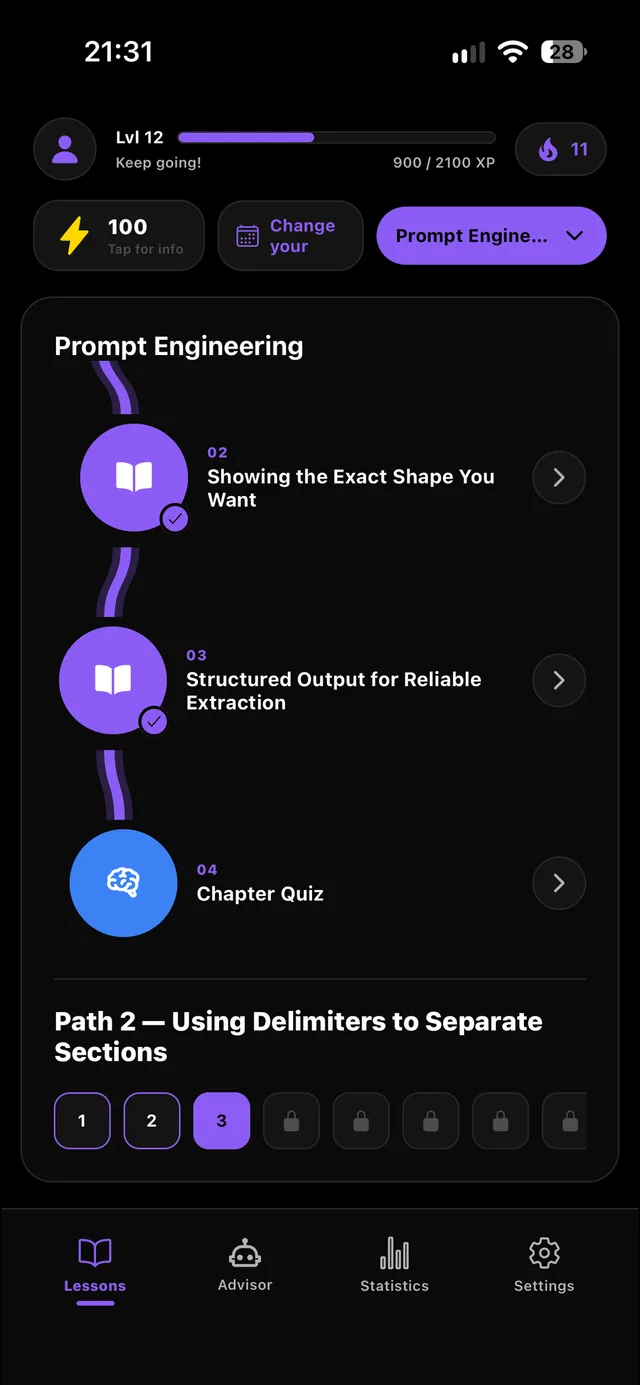
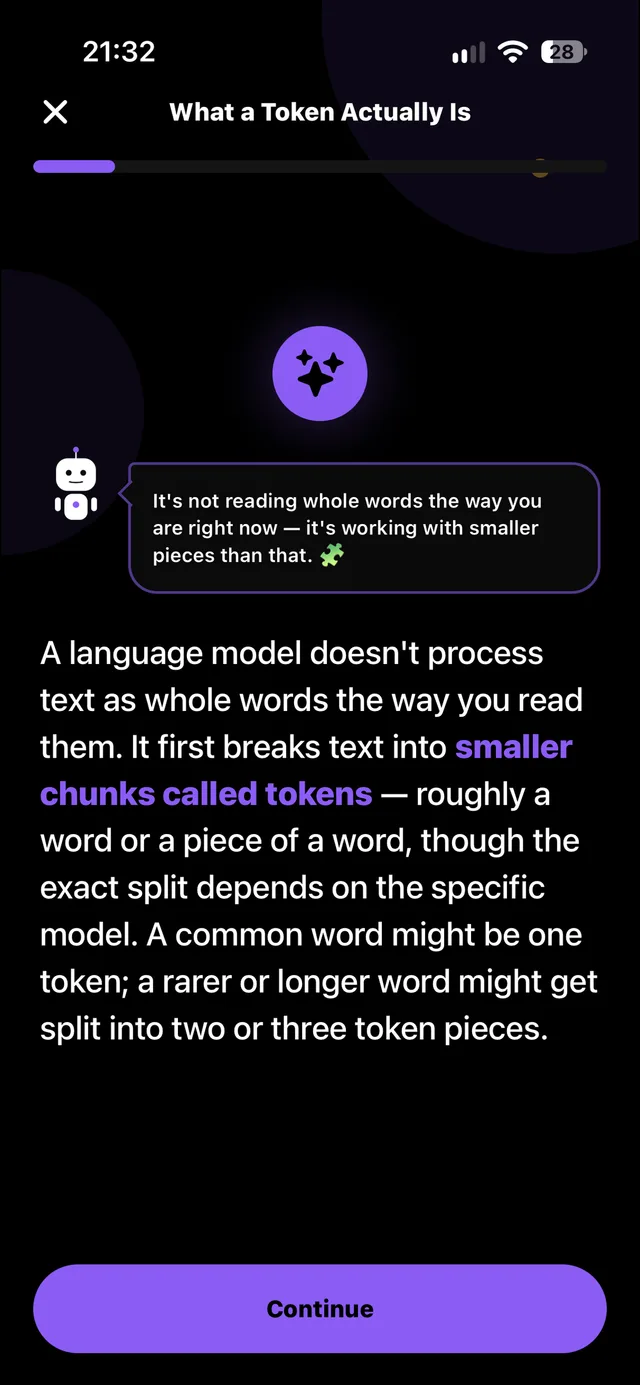
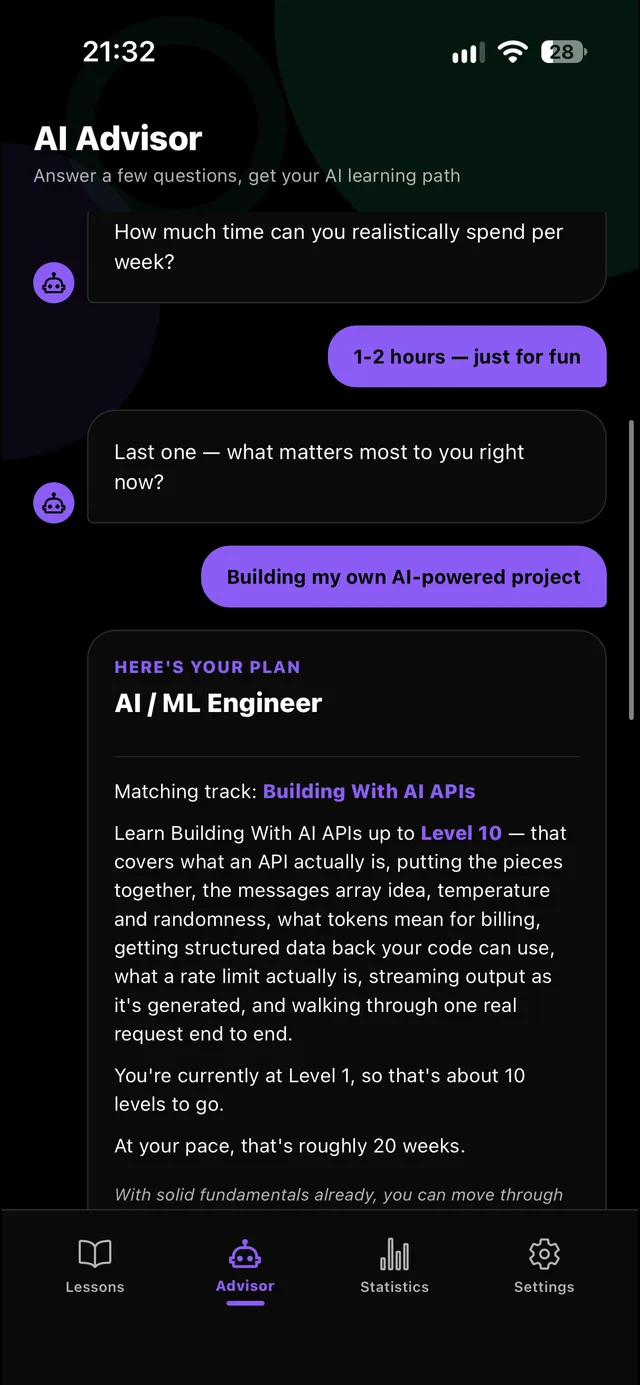
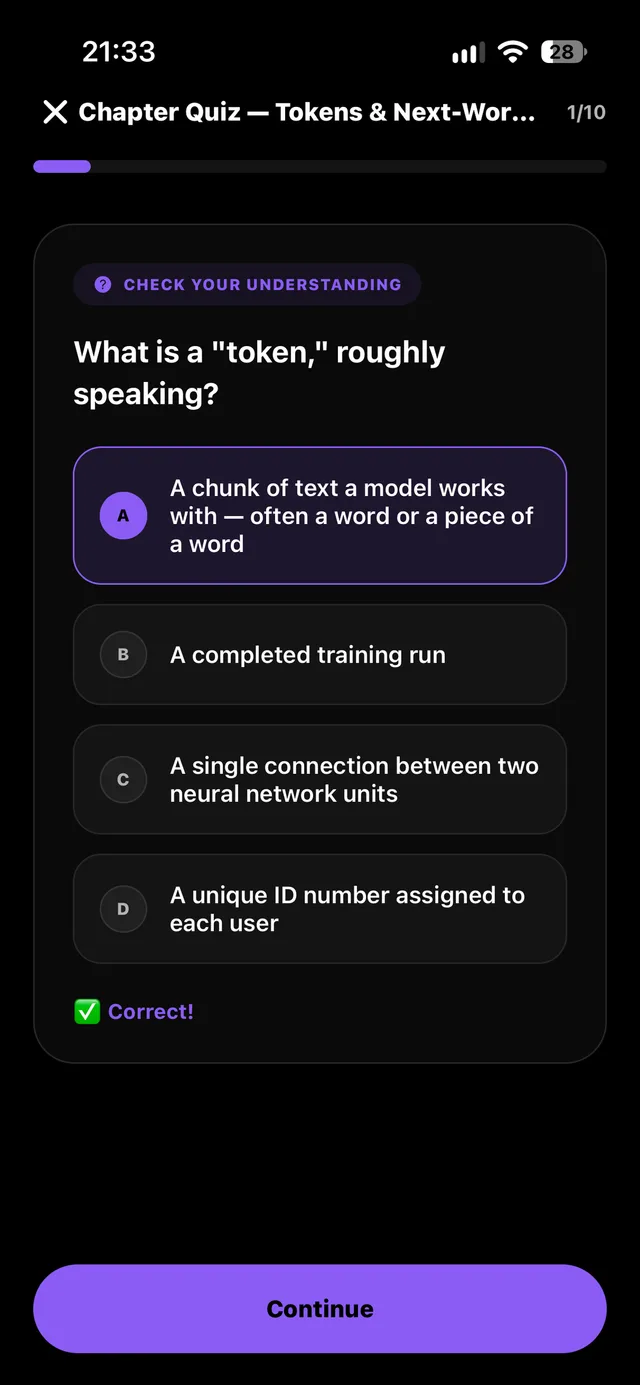
Fundamentals, everyday AI tools, prompt engineering, machine learning, deep learning, APIs, agents and AI safety.
Whether you want to use AI better or build with it — get the matching track and a timeline at your pace.
Learn how models really work, then turn that into prompts and workflows that give reliable results.
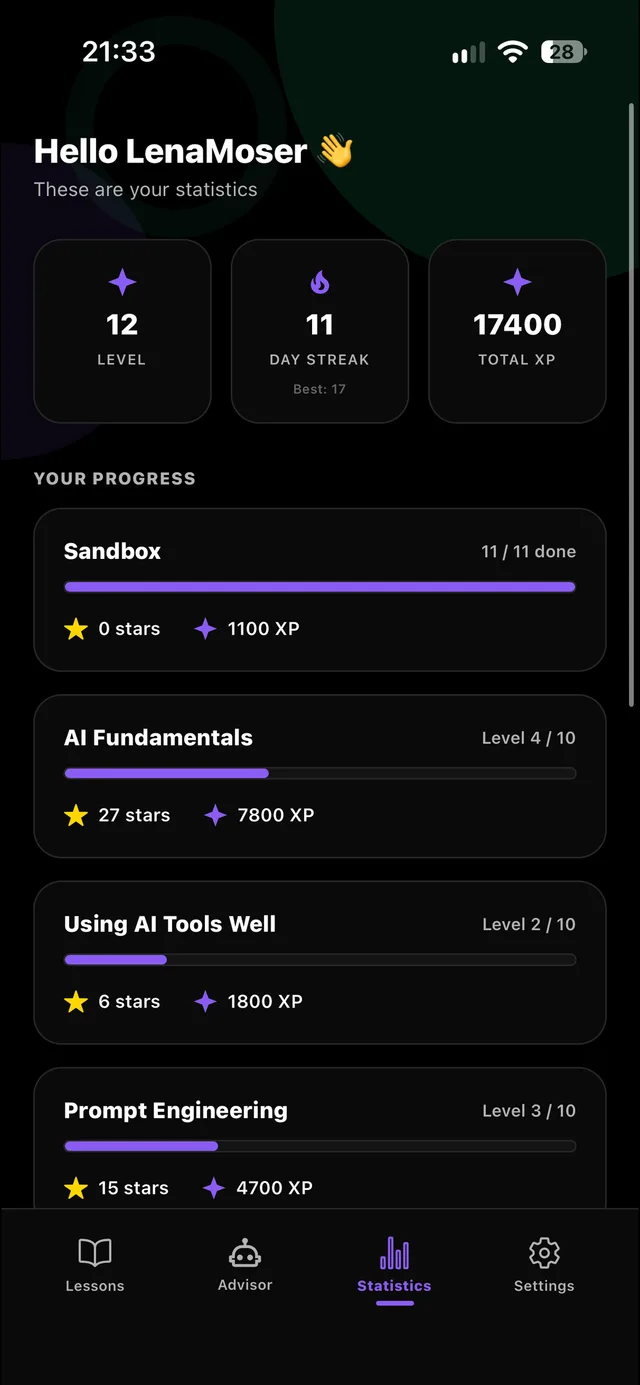
Earn up to three stars per level, collect XP and keep your daily streak alive.
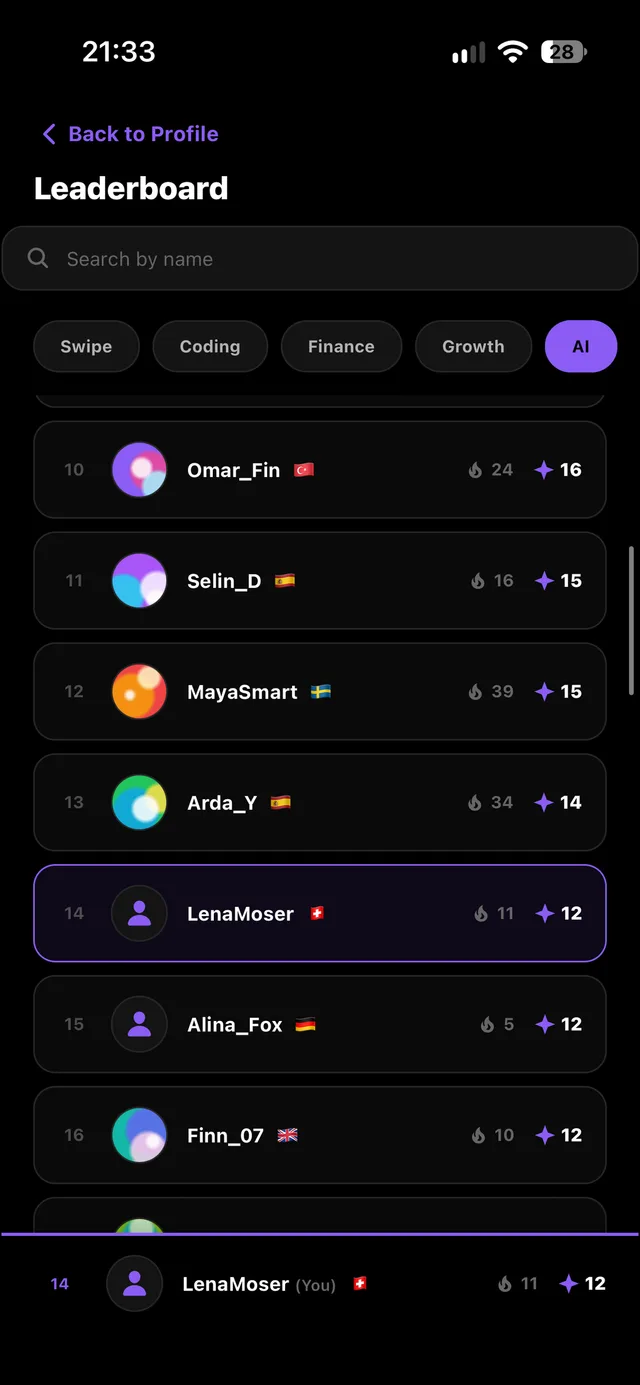
Climb the leaderboard for this app — or across the whole Swipe family.
Your Swipe account, profile and plan work in Coding, Finance, Personal Growth and AI.
Tap a track to see every level and lesson. Plus a free Sandbox intro and the AI Advisor — more tracks are already in the works.
The free plan gives you about five lessons every day. Go and Pro raise the daily limit — and one plan always covers all four Swipe apps.
Every confident AI user started exactly where you are now. Keep building your understanding with Swipe and turn what you learn into skills you actually use.


